If you’re a content creator, you already know the struggle: great ideas, not enough time—and design tools that feel way more complicated than they need to be. Whether you’re creating Instagram posts, YouTube thumbnails, lead magnets, or brand graphics, design can quickly become a bottleneck.
That’s exactly where Canva Pro comes in.
In this review, I’ll break down what Canva Pro is, how it helps content creators work faster and smarter, and whether it’s worth upgrading from the free version.
What Is Canva Pro?
Canva Pro is the premium version of Canva’s popular online design platform. It’s built for creators, marketers, and small businesses who want professional-looking designs without needing advanced graphic design skills.
With Canva Pro, you get access to millions of premium templates, stock photos, videos, brand tools, and time-saving features that make creating high-quality content fast and surprisingly easy.
Best for:
-
Social media content creators
-
YouTubers & podcasters
-
Bloggers & digital entrepreneurs
-
Coaches, freelancers, and online brands
Key Features & Benefits for Content Creators
1. Premium Templates That Actually Convert
Canva Pro unlocks millions of professionally designed templates for social media posts, Reels covers, YouTube thumbnails, Pinterest pins, presentations, and more.
Why this matters:
Instead of designing from scratch, you can start with layouts that are already optimized for engagement—just customize and publish.
2. Massive Stock Photo, Video & Audio Library
With Canva Pro, you get unlimited access to:
-
Premium stock photos
-
Short video clips
-
Background music and audio effects
-
Graphics, icons, and elements
How this helps:
You no longer need separate subscriptions to stock photo sites—everything you need is inside one platform.
3. Brand Kit for Consistent Content
The Brand Kit lets you save:
-
Brand colors
-
Fonts
-
Logos
This means every design stays visually consistent across platforms, even if you’re creating content daily.
Perfect for: creators building a recognizable personal or business brand.
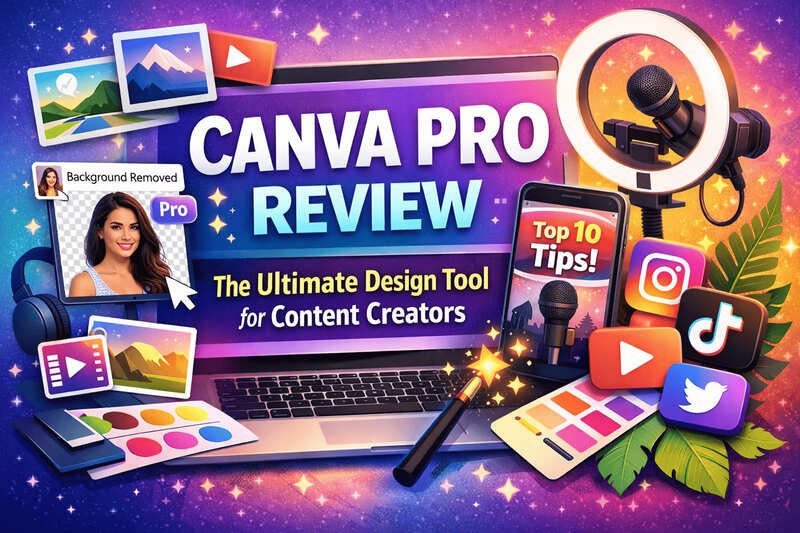
4. Background Remover (Huge Time Saver)
One of Canva Pro’s most loved features is the one-click background remover.
Why creators love it:
-
Perfect for thumbnails and social graphics
-
No Photoshop skills needed
-
Saves hours of editing time
5. Magic Resize for Multi-Platform Content
Create one design and instantly resize it for Instagram, TikTok, Pinterest, Facebook, or YouTube with Magic Resize.
Big win:
You can repurpose content across platforms in seconds instead of redesigning everything from scratch.
6. Collaboration & Cloud Access
Canva Pro makes it easy to:
-
Collaborate with team members or clients
-
Access designs from anywhere
-
Share editable links
This is ideal if you work with editors, VAs, or brand partners.
Pros and Cons of Canva Pro
✅ Pros
-
Extremely easy to use (no design experience needed)
-
Huge library of premium assets
-
Saves time with automation features
-
All-in-one design platform
-
Excellent value for content creators
❌ Cons
-
Limited advanced design control compared to Photoshop
-
Internet connection required
-
Some templates can look “overused” if not customized
Who Should Use Canva Pro?
Canva Pro is ideal if you:
-
Create content consistently across multiple platforms
-
Want professional visuals without hiring a designer
-
Value speed, simplicity, and convenience
-
Are growing a personal brand or online business
If you’re posting regularly or monetizing your content in any way, Canva Pro quickly pays for itself.
Canva Free vs Canva Pro: Is the Upgrade Worth It?
While the free version is solid, Canva Pro unlocks:
-
Premium assets (huge difference)
-
Background remover
-
Brand Kit
-
Magic Resize
-
Unlimited storage
For serious content creators, the Pro version is absolutely worth it.
Final Verdict: Is Canva Pro Worth It for Content Creators?
Yes—Canva Pro is one of the best investments a content creator can make.
It simplifies design, speeds up content creation, and helps your brand look polished and professional across every platform. Instead of juggling multiple tools, Canva Pro gives you everything in one clean, user-friendly dashboard.
If you want to create better content faster (without burning out), Canva Pro delivers.
👉 Ready to Level Up Your Content?
If you’re serious about growing your brand and creating eye-catching visuals with ease, Canva Pro is a smart upgrade.
👉 Go to Canva Pro website now and start creating like a pro today!